Budgeting
How to Choose a Budgeting App (What Actually Matters)
Every budgeting app promises to change your life. The one that actually will is the one you will still be opening in six months. Here is how to evaluate them honestly.
Last updated September 3, 2026
The best budgeting app is the one you will actually open every week for a year. That criterion eliminates most of the choice: a beautifully designed app you abandon in three weeks is worse than a boring spreadsheet you update every Sunday.
This guide focuses on the practical criteria that decide whether an app will stick, rather than feature lists that all look impressive on a marketing page.
Step 1: pick your style first, app second
If you want zero-based budgeting (every dollar assigned before the month), YNAB and its imitators are built for that method. If you prefer flexible after-the-fact category tracking, Monarch, Copilot, and similar apps fit better. If you want extreme simplicity, a two-column spreadsheet may be all you need. Choosing an app before you have picked a method usually means fighting the app for the first month.
Step 2: automation vs privacy
Most modern apps connect to your bank accounts through data aggregators (Plaid, Finicity, MX). This automates transaction imports and category assignment, which saves hours per month. It also means your login credentials or a token pass through a third party, and connections occasionally break, requiring you to reauthenticate. If that tradeoff bothers you, use an app that supports manual CSV imports, or use a spreadsheet.
Step 3: subscription cost
Most quality apps charge $8 to $15 per month, or $70 to $120 per year with an annual discount. That is meaningful money. Ask honestly whether the app will change your behaviour enough to save more than it costs. For someone who already tracks spending diligently, the answer is often no; for someone struggling to stay engaged, the answer is often yes.
Step 4: reporting and net worth
If you want a running net-worth graph and clear category-level trends over time, choose an app that surfaces those views without much configuration. If you just want to know whether you overspent this month, a simpler tool works fine. Do not pay for features you will not use.
Common categories that work
Regardless of app, the categories that hold up include housing, utilities, groceries, transportation, insurance, healthcare, subscriptions, dining, entertainment, personal care, gifts, and savings. Aim for 10 to 20 categories; fewer and you lose signal, more and it becomes a chore.
Free alternatives worth considering
Bank and credit-card websites now offer surprisingly good spending summaries at no cost. A spreadsheet (Google Sheets or Excel) with a small monthly template is powerful and private. For very simple needs, a notes app with one running total per category can work.
Choose the workflow before the brand
Write the job the tool must perform: plan before spending, categorise after spending, coordinate a household, manage variable income, track sinking funds, or monitor net worth. Then list non-negotiables such as local bank support, manual entry, shared access, web and mobile availability, export, multi-currency handling, and accessible support. Feature quantity is not a substitute for workflow fit.
Run a two-week trial using real categories but minimal historical data. Check duplicate and missing transactions, transfer handling, split purchases, refunds, credit-card payment logic, reconciliation, and notification quality. If the app produces an impressive dashboard that cannot be reconciled to cash, it is not a reliable budgeting system.
Audit cost, lock-in, and data exposure
Compare annual subscription cost with measurable time saved or fees prevented. Read how bank connections work, what data the provider and connection partner retain, how to revoke access, whether multi-factor authentication is supported, and what deletion means. Do not share bank credentials directly unless the regulated connection method in your country explicitly requires it.
Export a usable copy before committing and repeat backups periodically. Prices, ownership, features, and supported institutions can change, so evergreen articles should teach selection criteria rather than crown a permanent winner. A spreadsheet or paper ledger remains a valid choice when it is secure, reconciled, and consistently used.
What a budgeting app actually needs to do
A good budgeting app performs four core functions: (1) aggregate transactions from all your accounts automatically; (2) categorize spending accurately with minimal manual intervention; (3) allow you to set spending targets and track progress against them; (4) provide reports and insights that inform decisions. Everything else — investment tracking, bill negotiation features, credit score monitoring, cash flow forecasting — is optional and should not distract from these core needs.
App choice matters less than app usage. The best app is the one you consistently open and interact with. An expensive premium app you check twice a year is worse than a free spreadsheet you update weekly. Before choosing, honestly assess your engagement pattern with financial tools. Someone who checks accounts daily needs different features than someone who checks quarterly.
The current major players in 2024
YNAB (You Need A Budget): $109/year subscription. Zero-based budgeting philosophy — every dollar assigned a job before the month begins. Steep learning curve but produces the most rigorous financial discipline for users who commit to the methodology. Best for people willing to invest 15-30 minutes weekly in active budget management.
Monarch Money: $99/year subscription (with occasional promotions). Modern interface, excellent account aggregation, strong investment tracking, collaborative for couples. Emerged as major alternative after Mint shutdown in early 2024. Best for people who want comprehensive financial dashboard without the discipline of strict zero-based budgeting.
Copilot Money: $95/year subscription (iOS only). Beautifully designed, strong AI-powered categorization, good for detail-oriented users. Best for iPhone/Mac ecosystem users who want polished experience.
Empower (formerly Personal Capital): Free tier for account aggregation and net worth tracking, paid advisory services above. Excellent investment analysis and fee analysis tools. Best for people focused on investment tracking and net worth rather than granular spending management.
Rocket Money (formerly Truebill): Free tier with premium at $4-12/month. Focused on subscription management and bill negotiation services. Best for people whose primary financial challenge is unmanaged recurring charges.
PocketGuard, Simplifi (by Quicken), Goodbudget, EveryDollar: various price points ($30-70/year typically), each with distinct approaches. Worth investigating if the above do not fit your workflow.
Free alternatives: spreadsheets and manual tracking
Google Sheets or Excel with a manual entry approach works well for detail-oriented users. Templates from Reddit’s r/personalfinance, Vertex42, and Tiller (paid but excellent Google Sheets integration with automatic transaction imports for $79/year) provide starting frameworks. Advantages: complete customization, no subscription cost, no privacy concerns about aggregation services, works offline.
The main disadvantage: spreadsheets require manual maintenance. Automatic transaction aggregation is not built in unless you pay for Tiller or a similar service. For most people, the appeal of "free" fades when they realize the time cost of manual entry — often 30-60 minutes weekly to update meaningfully.
Paper budgeting still works for people who process information physically. The tactile act of writing transactions in a notebook creates awareness that digital tools sometimes fail to trigger. Cash envelope systems combined with a physical ledger require no technology at all. Not for everyone, but the right choice for some.
Bank-provided budgeting tools
Most major banks now provide free budgeting features within their apps: transaction categorization, spending summaries, savings goals, bill reminders. Bank of America, Chase, Ally, Capital One, and others have invested significantly in these tools. Advantages: free, integrated with your primary bank, no additional login required, no privacy concerns from third-party access.
Disadvantages: bank tools typically only aggregate accounts from that bank (missing accounts at other institutions), have limited customization, and rarely support advanced features like zero-based budgeting or debt payoff tracking. For simple needs (one bank relationship, basic tracking), they may suffice.
For users with accounts across multiple institutions (checking at one bank, savings at another, retirement at a third), aggregation apps are typically necessary to see the full financial picture. Trying to manually reconcile across multiple bank interfaces defeats the automation benefit.
Privacy and security considerations
Every account aggregation app requires access to your financial institution logins, either through direct API connections (Plaid, MX) or credential storage. This creates real security risk — a breach at the aggregation service could expose your financial data. Major providers have generally strong security records, but no service is invulnerable.
Read the privacy policy before signing up. Free services often monetize by selling anonymized transaction data to marketers, banks, or investors. Mint (which shut down in 2024) was known for aggressive data monetization. If privacy matters to you, prefer paid services that fund themselves through subscriptions rather than data sales.
Enable multi-factor authentication on both the budgeting app and every connected financial account. Use unique strong passwords managed through a password manager. Monitor connected accounts for unauthorized transactions monthly at minimum. If any suspicious activity appears, disconnect the aggregation service immediately and investigate.
Choosing the right app for your situation
For strict discipline seekers wanting zero-based budgeting: YNAB. The methodology and community support are unmatched, though the learning curve and cost are real.
For comprehensive dashboards with modern UI: Monarch Money or Copilot Money. Both provide excellent aggregation, categorization, and reporting without imposing a specific budget methodology.
For investment-focused tracking: Empower for net worth and fee analysis; Fidelity Full View for those with Fidelity accounts; direct brokerage tools for portfolio-specific tracking.
For subscription management specifically: Rocket Money or subscription-monitoring features within Chase or Capital One apps. Not enough alone but useful supplement.
For DIY enthusiasts: Tiller (Google Sheets integration) or custom spreadsheets. Requires more time but provides complete flexibility.
For minimalists: your bank’s built-in budgeting tools, if you have most accounts at one institution. Simple, free, and often sufficient.
What to do in the first 30 days with a new app
Days 1-3: connect all financial accounts (checking, savings, credit cards, investment accounts, retirement accounts). Verify transactions are appearing correctly. Categorize any transactions the app got wrong.
Days 4-14: let the app categorize normally without setting budgets yet. Focus on establishing accurate transaction feed and category assignments. Correct miscategorized transactions as you notice them.
Days 15-21: review 30-90 days of historical spending to understand actual patterns. Identify surprises and categories where actual spending differs from your assumptions.
Days 22-30: set initial budget targets based on realistic previous spending, not aspirational cuts. Adjust as needed after each month of real data. First-month accuracy is not the goal; iterating toward accuracy over 3-6 months is.
Common budgeting app mistakes
The most common mistake is choosing an app based on features rather than actual usage patterns. Someone who will check monthly does not need real-time transaction alerts; someone with simple finances does not need complex investment tracking. Match the tool to your actual behavior.
The second common mistake is abandoning apps within the first month because they "do not work." Most budgeting apps require 2-3 months to reach steady state where transaction categorization stabilizes and budget targets become realistic. Give any app at least 90 days of consistent use before judging its fit.
The third mistake is paying for premium features you do not use. Many free tiers or lower-cost options provide enough functionality for typical users. Rocket Money’s free tier tracks subscriptions well without the $60-144/year premium subscription. Empower’s free tier provides excellent net worth and investment tracking without their paid advisory service. Test free options thoroughly before committing to paid subscriptions.
Sources and methodology
We use primary and authoritative sources for rules, definitions, and data. Sources and factual claims were last checked September 3, 2026.
- Budgeting resources — Consumer Financial Protection Bureau (United States)
- Financial education — OECD (Global)
- Global Findex Database — World Bank (Global)
Frequently asked questions
- Is YNAB worth the cost?
- For dedicated zero-based budgeters who value the specific method, many users report it pays for itself in behaviour change. For casual trackers, the cost often outweighs the benefit.
- Are budgeting apps safe?
- Reputable apps use bank-grade encryption and rely on established data aggregators. The main risks are the aggregator being breached (rare but not zero) and losing access to the app in a service outage.
- Do I need to use an app at all?
- No. Many people budget successfully with a spreadsheet, envelope system, or even careful weekly review of bank statements. Use whatever you will actually maintain.
Related articles
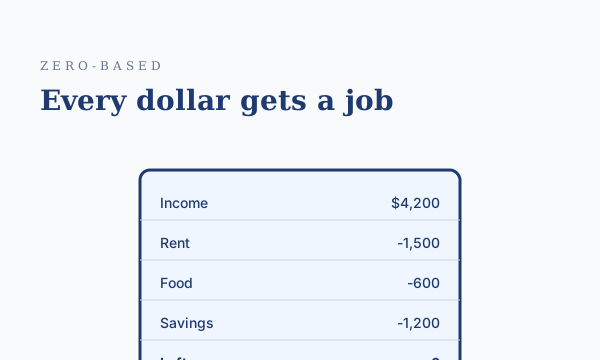
Zero-Based Budgeting: How It Works and Who It Is For
Every dollar gets a job before the month begins. Zero-based budgeting is the most precise method available — here is how to actually run one without burning out.
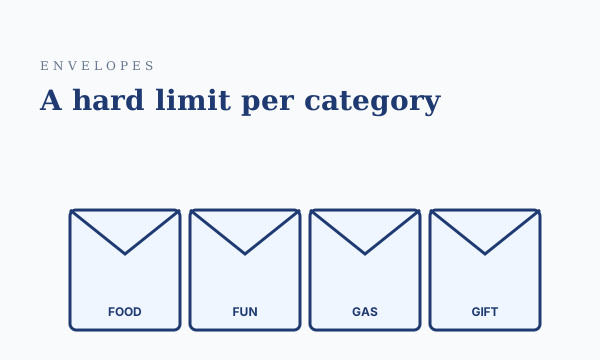
The Cash Envelope System: An Old Method That Still Works
The envelope system is a decades-old budgeting method that keeps working for one reason: the physical friction of handling cash slows down spending in ways an app cannot.
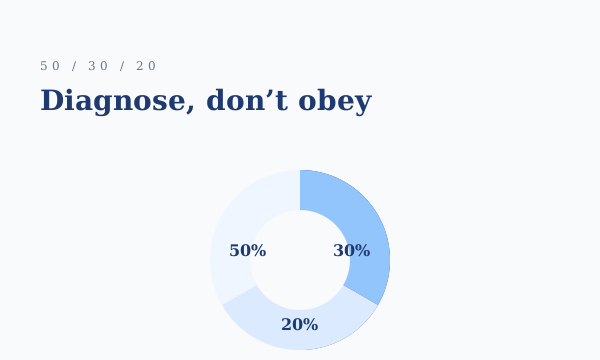
The 50/30/20 Budget Rule, Explained With a Real Example
A simple budgeting framework that splits take-home pay into needs, wants, and savings — with a worked example and adjustments for high cost of living.